Long-Distance Toys: A Practical Buying Guide
Contains affiliate links: if you buy through one, KinoLoom earns a commission. We only show products from shops we work with.
Long-distance relationships come with an obvious physical gap, and app-controlled toys are one of the few products genuinely built to bridge it. The category has matured a lot: reliable remote control over the internet, partner apps with video calling, and toys that respond to each other in real time. This guide covers how the technology actually works, what separates a good long-distance toy from a frustrating one, and what to know about pricing, accounts, and privacy before you buy.
How remote control actually works
Almost every long-distance toy follows the same chain: the toy connects to your phone over Bluetooth, and the companion app relays control signals over the internet to your partner's app. Your partner sees a control interface — sliders, patterns, sometimes a drawable pad — and whatever they do is transmitted to your toy with a short delay, typically under a second on a decent connection.
Most ecosystems layer extras on top of this. In-app video and voice calling means you do not have to juggle a separate call alongside the controls. Some toys support sync features: two toys that mirror each other's movement, or a toy that reacts to your partner's touch on their own device. Music sync and pattern libraries exist too, though for long-distance use the core feature is simply a stable, low-latency remote connection.
What makes a good long-distance toy
Connection reliability matters more than anything else. A toy that drops its Bluetooth link mid-session, or an app that loses the internet relay when a phone screen locks, will sour the experience fast. Look for products with a track record of stable app connections and frequent firmware updates — this is where established ecosystems earn their reputation.
Mutual control is the second consideration. Some setups are one-directional (one person controls, one person receives); others let both partners hand control back and forth or run two toys simultaneously. If you both want hardware, check that the toys you are considering can be paired in the same session.
Practical details round it out: battery life of 1–2 hours of continuous use is typical, so charge before a planned session. Check waterproofing if that matters to you, and note that motor strength varies considerably between compact and full-size models.



The known options: the Lovense ecosystem as reference
Lovense is the most established name in this category and a useful reference point even if you shop around. Its lineup spans wearable vibrators, insertable toys, strokers, and prostate massagers, all controlled through one app that supports long-distance control, video calls, and toy-to-toy sync. The breadth matters for couples: each partner can pick hardware suited to them and still connect in the same session.
Beyond a single brand, the generic categories to know are: wearable vibrators (discreet, good for wearing during a call), classic app-controlled vibrators, interactive strokers (often the male-bodied partner's option in a synced pair), and dual-toy sets sold specifically for couples.
On price: expect roughly €60–€120 for a single quality app-controlled toy, and around €150–€250 for a couples set — as an indication, not a promise. Cheaper no-name app toys exist, but connection stability and app quality are exactly where they tend to fall short.
Tips for your first remote session
Do a technical dry run first — pair the toy, add each other in the app, and test the remote connection at a neutral moment. Fumbling with pairing screens during the actual session is the most common first-time complaint.
Start simple: a voice or video call with one person controlling, low intensity, and talk about what is working. Latency of a second or so is normal; treat it as a rhythm rather than a bug. Charge both toys and both phones beforehand, and agree on a plan B (a plain call) in case the connection misbehaves — it takes the pressure off.
Privacy: accounts, encryption, and what to check
Nearly all long-distance toys require an account, because the internet relay needs to know which two apps to connect. That is a real trade-off: you are trusting the vendor with an account identifier and connection metadata. Use a dedicated email address if you prefer to keep this separate from your main identity.
Check that the app uses encrypted connections (standard for the major ecosystems) and read what the vendor says about chat and video: with reputable brands, video calls are transmitted, not stored, but verify this in the current privacy policy rather than assuming it. Turn off any optional analytics or data-sharing toggles in the app settings, keep the app updated for security fixes, and never share control links or session codes outside the person you intend them for.
Side by side
| Sound | Distance | Together | Patterns | ||
|---|---|---|---|---|---|
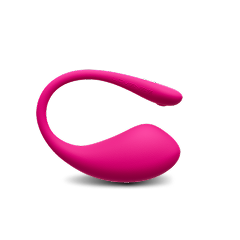
| Lovense Lush 3 | €119.00 | ||||
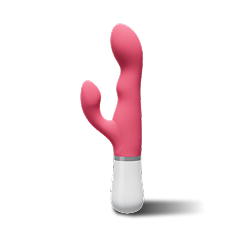
| Lovense Nora | €119.00 | ||||
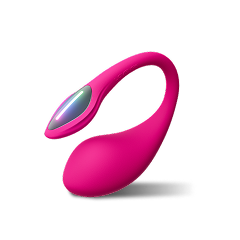
| Lovense Lush 4 | €129.00 | ||||
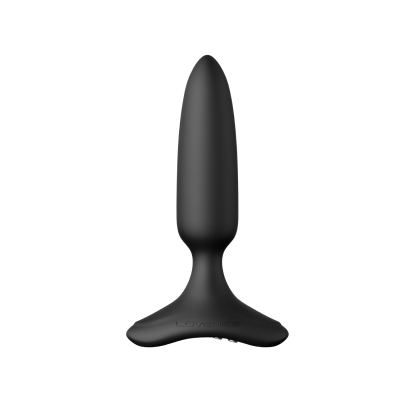
| Lovense Hush 2 | €119.00 |
Frequently asked questions
Do long-distance toys work from anywhere in the world?
Yes — as long as both phones have an internet connection, distance is irrelevant because control signals travel over the internet, not Bluetooth. Time zones are usually the bigger scheduling challenge. A weak Wi-Fi or mobile signal on either end is what causes lag or dropouts, not the number of kilometres between you.
Do I need an account to use an app-controlled toy?
For remote control over the internet, almost always yes, since the app needs to route the connection between two specific users. Local Bluetooth control on your own phone often works without one. If privacy matters to you, register with a dedicated email address and disable optional data-sharing settings.
How much should I budget for a long-distance setup?
As a rough indication: around €60–€120 for one quality app-controlled toy, and roughly €150–€250 if both partners want hardware in a synced couples set. Very cheap app toys exist but tend to cut corners on connection stability and app support, which is precisely what a long-distance setup depends on.
Is the connection between the apps secure?
Major ecosystems such as Lovense use encrypted connections for control signals and in-app calls, and state that video calls are not stored. Still, check the current privacy policy yourself, keep the app updated, and only accept control requests from your partner's verified account.
What if the connection drops mid-session?
It happens, usually due to Wi-Fi hiccups or a phone locking the screen and pausing the app. Keep the app in the foreground, disable battery-saver mode for it, and reconnect calmly — pairing again typically takes seconds. Agreeing beforehand that a dropout is no big deal removes most of the frustration.